
This guide explains how to group zones in Ronspot so you can manage booking rules — such as limiting employees to one booking per day — across multiple parking or desk zones at once.
Step 1: Access company settings- Log in to the Ronspot admin panel.
- Go to
Account > General settings.
Step 2: Open the multi-zone settings
- At the top of the page, select the
Multi-zone settingstab.
Step 3: Group zones
- Click on the
Add groupbutton.
Step 4: Configure the grouped zones
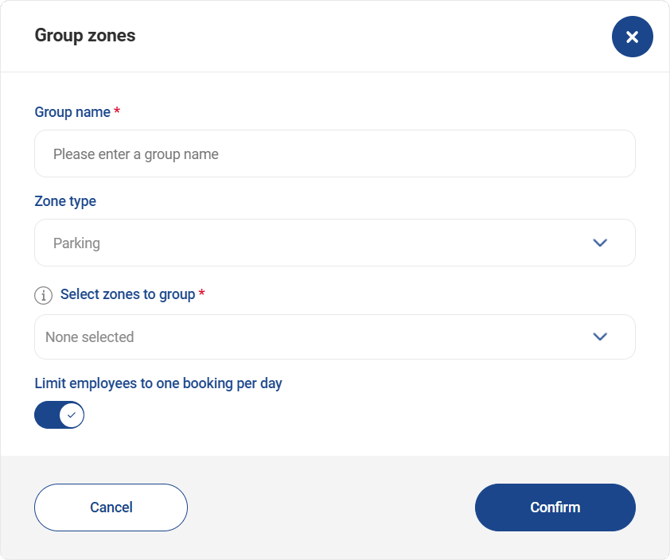
- In
Group name, enter a descriptive name for your group (for example, London Office – Parking). - In
Zone type, choose whether you want to group Parking or Desks zones. - Once selected, choose the zones you want to include under
Select zones to group. - Turn on the
Limit employees to one booking per daytoggle to prevent users from making more than one booking per day across the grouped zones. - Click
Confirmto apply the changes.Note: A zone can only belong to one group at a time. If you need to move a zone to a different group, remove it from its current group first.